 VirtFlowers
Minecraft gift: a bouquet of blocky flowers in Telegram
This is a virtual bouquet. Sunflowers, poppies, cornflowers and wheat are built from coloured cubes and stand in a square glass vase, with a tag showing a grass block from the game hanging from the ribbon. Sending it is free: the recipient gets it as a Telegram message, turns it with a finger and places it on their own table through the phone camera.
Minecraft bouquetFree
Send the bouquet in Telegram See it from every sideThe bouquet is free and the recipient pays nothing. A photo frame or a surprise box costs 50 Stars each.

- Price
- free, no Stars or card needed
- Bouquet
- 42 cm (16.5 in) tall, in a vase
- Delivery
- a Telegram message, instantly
- Address
- not needed, nothing is shipped
The bouquet from every side
Every flower is built from cubes, like items in the game. The bouquet is 3D: you turn it with a finger on screen and walk around it on the table.
-
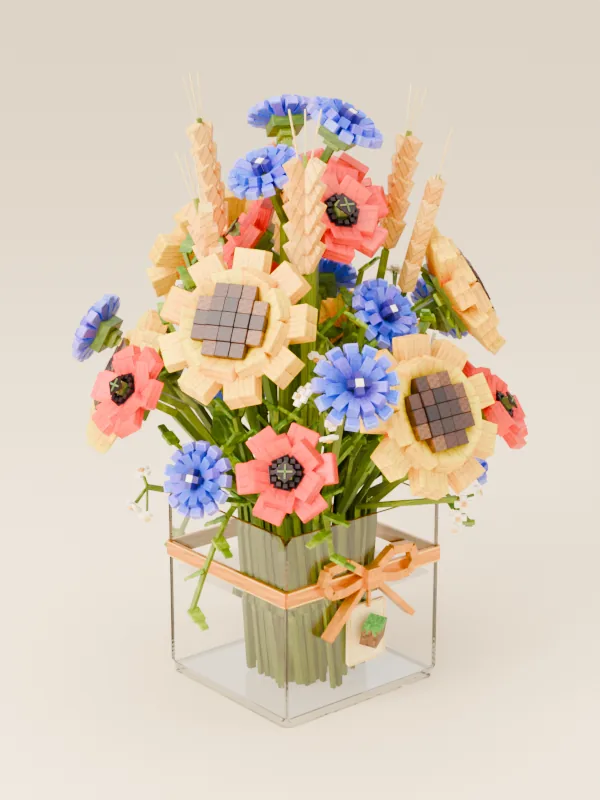
Three-quarter viewSunflowers, poppies and cornflowers go all the way round, so the bouquet looks full from any side. -
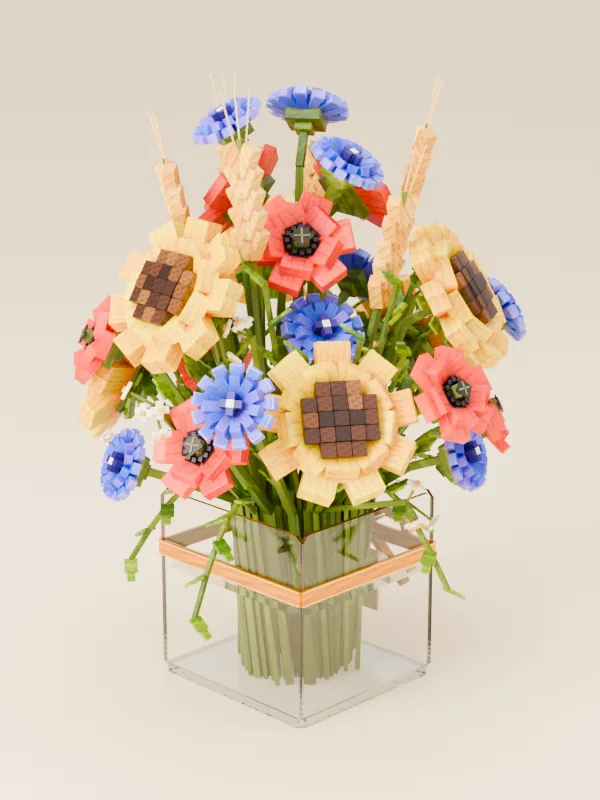
From the other sideThe back is just as full: sunflowers, poppies and cornflowers in a different order. -
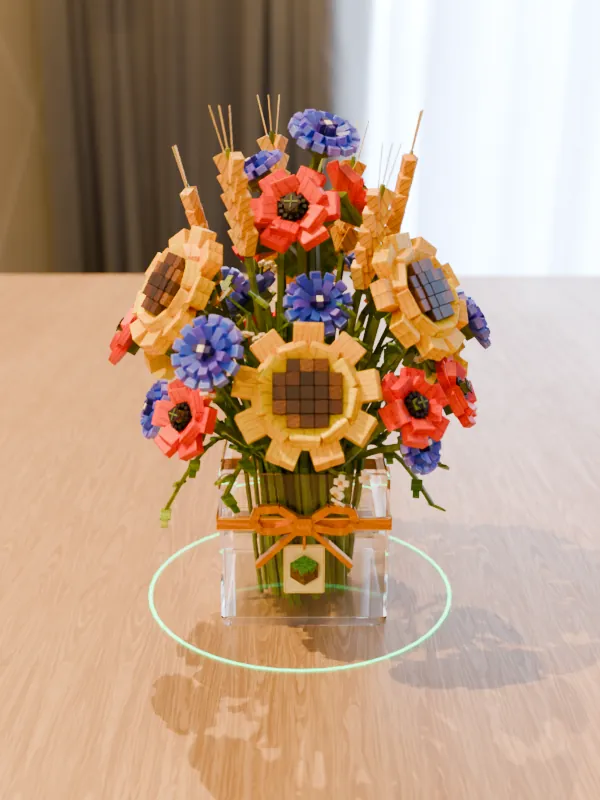
On the recipient’s tableThrough the phone camera the bouquet stands on the table at its real size, and you can walk around it.


Who it suits
-
Your son or daughter
A kid who spends evenings building in Minecraft can keep the bouquet on their own desk and show it to friends.
-
A friend or brother
Few people send flowers to a guy, but blocky ones fit a birthday, a tournament win or no reason at all.
-
Your partner
If you play on the same server, a bouquet like this is about the two of you.
-
A grown-up player
Someone who played at school and still logs in. It works for a colleague’s birthday too.
A bouquet in Telegram or Minecraft merch
A figure or a building set and this bouquet suit different situations.
| Something from a shop | Bouquet in Telegram | |
|---|---|---|
| What they get | an item for the shelf | a bouquet on screen and on their table through the camera |
| Timing | buying and shipping, hours to days | arrives instantly |
| Price | depends on the item | free |
| Recipient in another city | needs an address and shipping | Telegram is enough |
| Can hold it | yes | no |
If you want something to keep, order it in advance. The bouquet helps when the birthday is hours away or the person lives far away. You can do both: send the bouquet now and hand over the gift when you meet.
A game code in a box by the bouquet
If you bought a Minecraft gift code, Minecoins or an app store card, put a screenshot of the code, a PDF or a link into the surprise box. It stands closed by the vase, and the recipient sees the code when they tap the box.
The box costs 50 Stars with this bouquet. We don’t sell codes: buy them from official sellers.
How to send the bouquet
-
Open the bouquet
Tap the button on this page: the bouquet opens in the VirtFlowers mini app in Telegram. Nothing to install.
-
Write a message
Tap “Give for free” and write a couple of lines, up to 255 characters. If you’re stuck, open the “Greeting writer”: it suggests three options.
-
Add a surprise if you like
A photo in a frame or a box with a code. The bouquet can go without them.
-
Send it to the chat
They open the gift and see the bouquet. Your words open with the “Read the message” button, and the bouquet can go on their table through the camera.
What to write with it
Each one is shorter than 255 characters.
-
For your son
Happy birthday! New level unlocked. Put the blocky bouquet on your desk and show me what you built tonight.
-
For a friend
Happy birthday! Real flowers would be weird, these are just right. See you on the server tonight.
-
For your partner
Happy birthday! Built you a bouquet, not a single block missing. Love you.
-
For the holidays
Merry Christmas! May next year bring plenty of diamonds and quiet nights in the game.
Other gifts
Tap an item to see it up close. The superhero figure can carry the recipient’s face, and the orchid is free.


How it looks in Telegram
Real app screens. The bouquet on the table is shown the way the camera sees it.
-
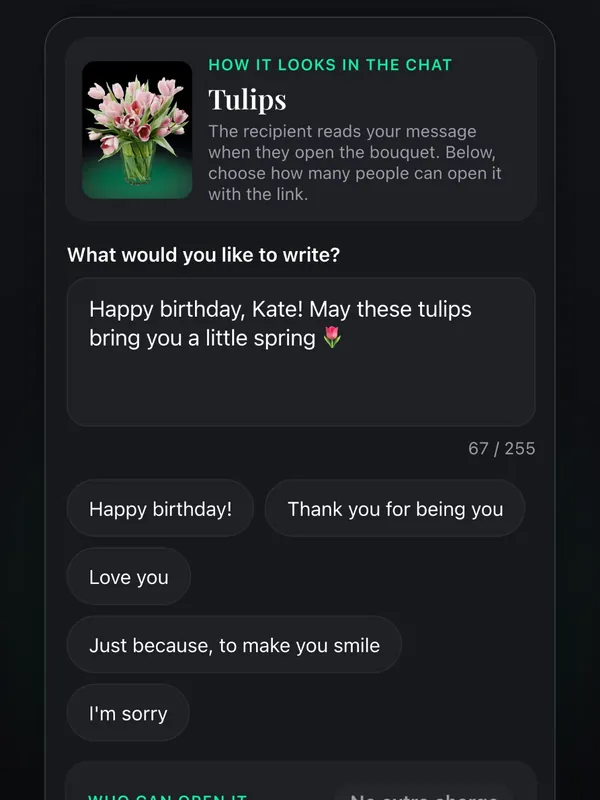
You write a few wordsYour own or a ready-made line. You see how it will look in the chat. -
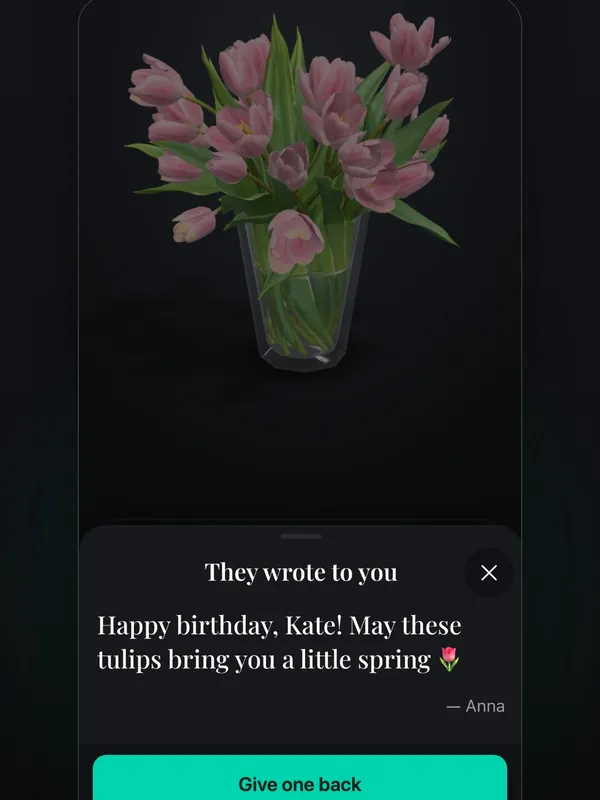
They open the giftFirst they see who it’s from, then the bouquet. Your words open with “Read the message”. -
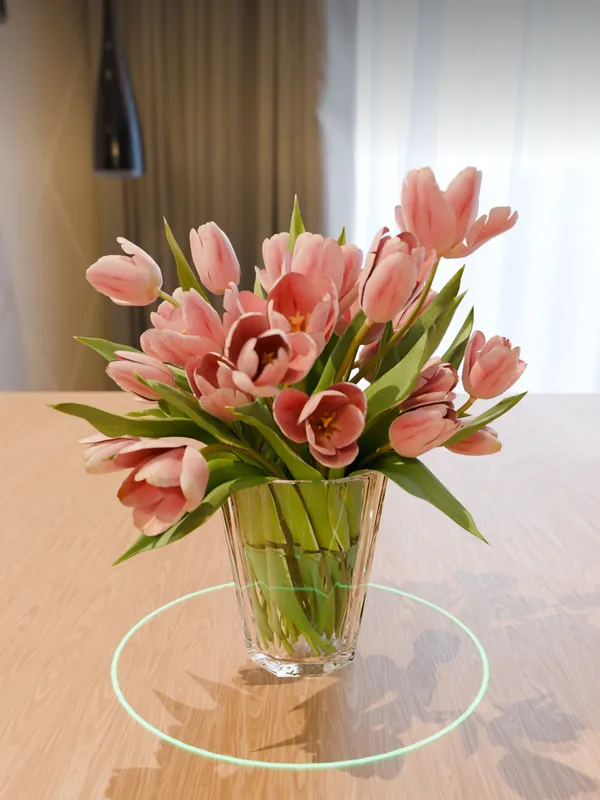
And put it on their tableThrough the phone camera. They can walk all around it.
Questions about the Minecraft style bouquet
Will the bouquet appear inside the game?
No. It is a 3D bouquet in a Telegram mini app: you see it on screen and on a table through the phone camera. It does not go into a Minecraft world, a server or an inventory.
Is this an official Minecraft gift?
No. VirtFlowers is not affiliated with Mojang Studios or Microsoft, who own Minecraft. The bouquet is made in the spirit of the game: flowers built from cubes and a grass block tag.
Is the bouquet really free?
Yes. Neither you nor the recipient pays. Only the extras cost money: a photo frame and a surprise box, 50 Stars each.
Can I give a Minecraft code with it?
We don’t sell codes. Buy one from an official seller and put a screenshot or PDF into the surprise box next to the bouquet: the recipient opens it and sees the code.
Won’t a kid mind that the bouquet isn’t real?
Usually not, since a bouquet of cubes doesn’t pretend to be alive. Kids turn it with a finger, put it on the table through the camera and show it to friends. If you want something they can hold, send the bouquet now and give the present when you meet.
What does the recipient need?
Telegram on their phone. The bouquet opens from a message in the chat, with no separate app to install. To place it on a table they need the phone camera.
Where do I get Telegram Stars?
If you don’t have enough, Telegram offers to buy them right in the payment window, the usual way for your phone. There is nothing else to install.
Send a bouquet of blocks
Open the bouquet in Telegram, write a couple of words and send it. There is nothing to pay.
Send the bouquet in TelegramUpdated:
