 VirtFlowers
Build your own bouquet online and send it in Telegram
Pick exactly the flowers she loves: roses, tulips, lilies, hydrangeas and greenery stem by stem, in the vase you like. The bouquet grows on screen as you add stems. It is a virtual bouquet: the recipient opens it in Telegram and places it on their own table through the phone camera.
Build a bouquet in Telegram See bouquets people builtBuilding and turning it around is free. You pay when you send it: from 76 Stars for a single rose in a vase. A photo frame and a surprise box come free with your own bouquet.

- Flowers
- roses, tulips, lilies, hydrangeas, lisianthus, gypsophila and greenery
- How many
- from one rose up to 101
- Price
- by the mix, from 76 Stars, shown before you pay
- Delivery
- a message in Telegram, right away
Bouquets built in the workshop
Six bouquets built in the workshop, as they look in the app. The app itself worked out each price.
-
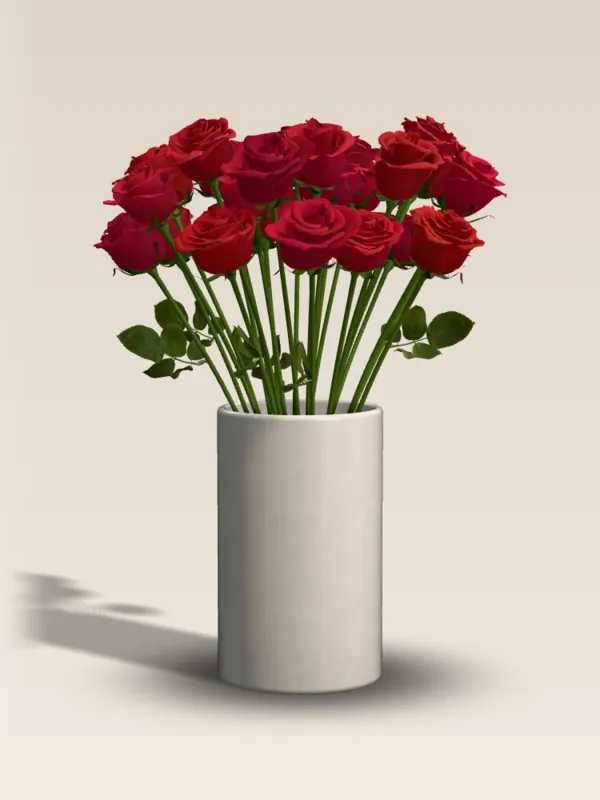
25 red roses · 250 ⭐A classic in a white vase. Rose leaves between the heads keep the dome from looking flat. -
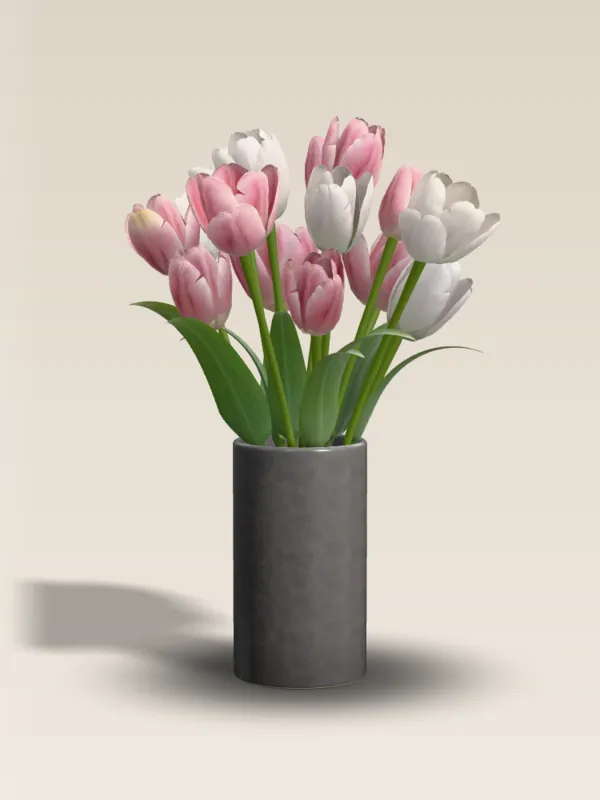
15 tulips · 186 ⭐Pink and white mixed together. You can take from 7 to 35 tulips. -
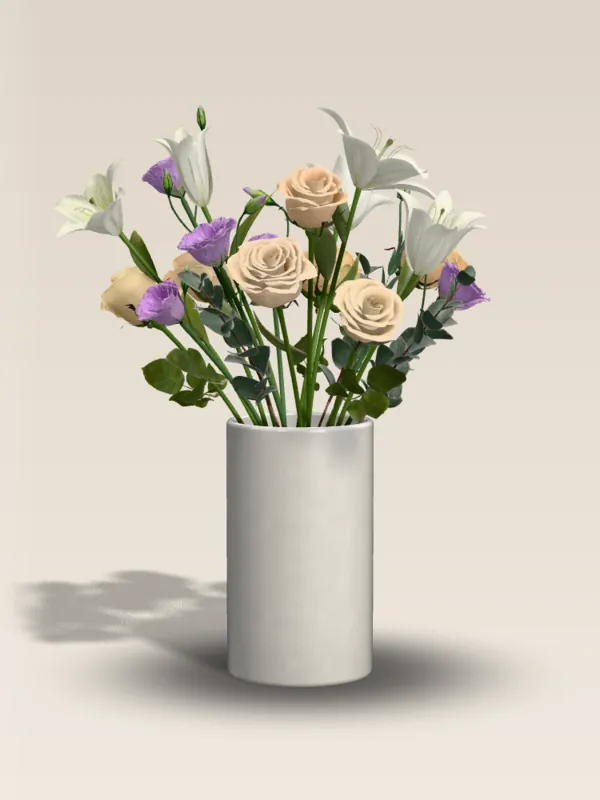
Cream roses and lilies · 255 ⭐7 roses, 5 lilies, lilac lisianthus and eucalyptus. A soft bouquet for mum. -
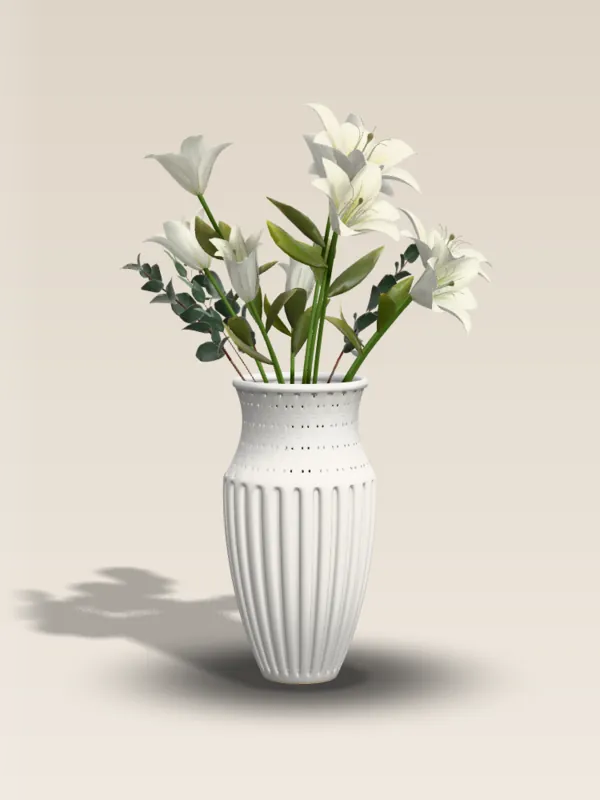
9 white lilies · 212 ⭐With eucalyptus sprigs. Lilies also go on their own, from one to 51. -
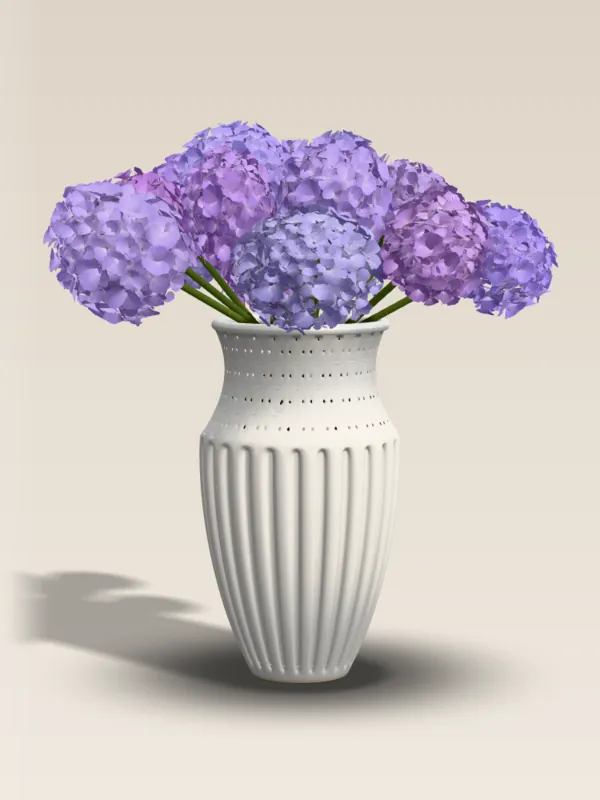
15 hydrangeas · 174 ⭐A full lilac dome. Hydrangeas also come in white and pink. -
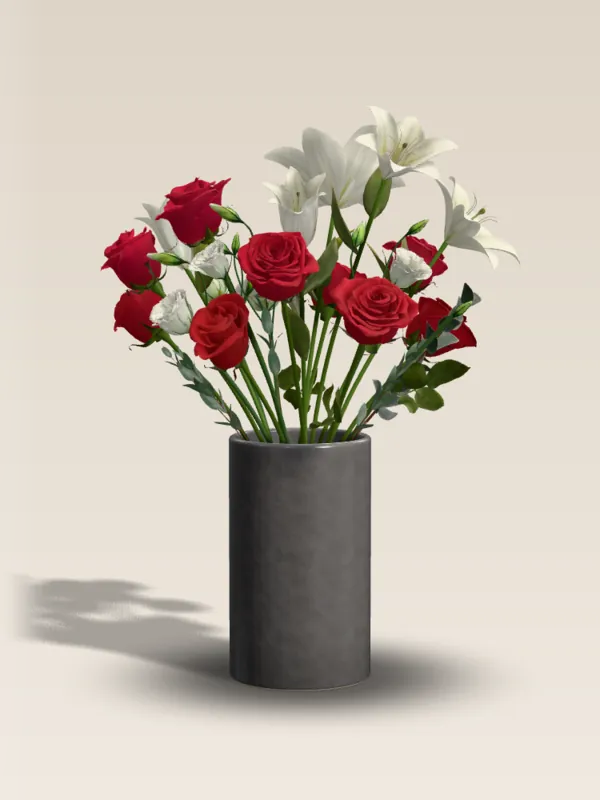
Red roses and lilies · 268 ⭐9 roses, 5 lilies, white lisianthus and eucalyptus. Bright, for a birthday.


What it looks like in the app
Real workshop screens in Telegram.
-
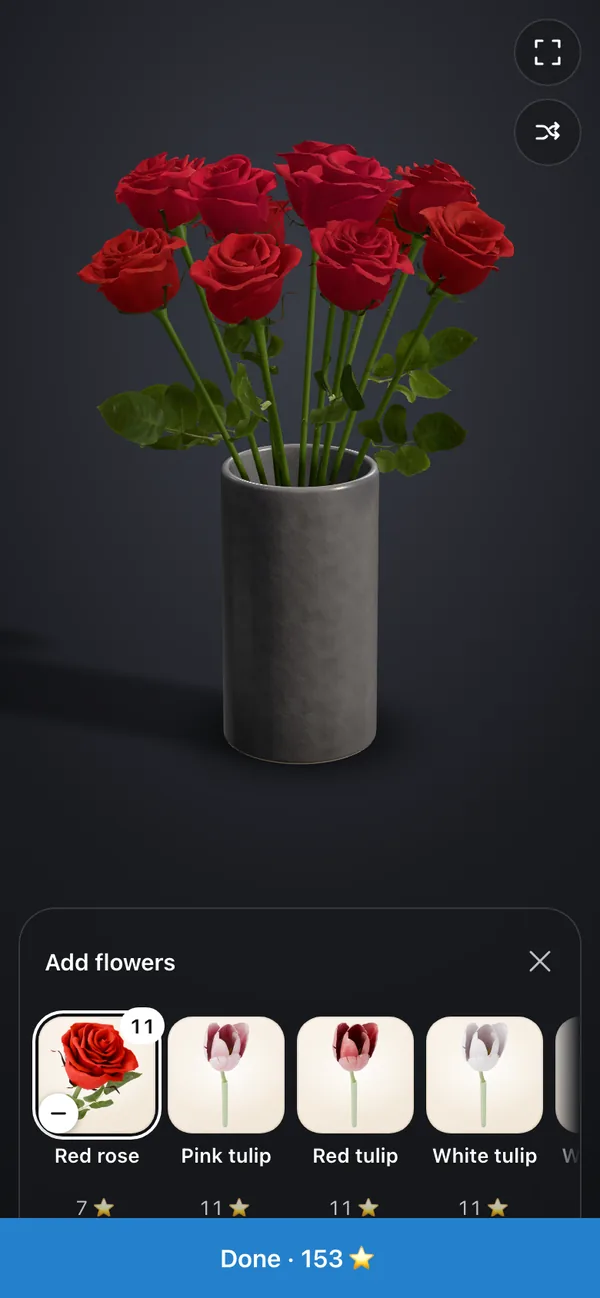
Flowers with pricesRoses, tulips, lilies and hydrangeas as cards. Each shows its price, the total is on the button. -
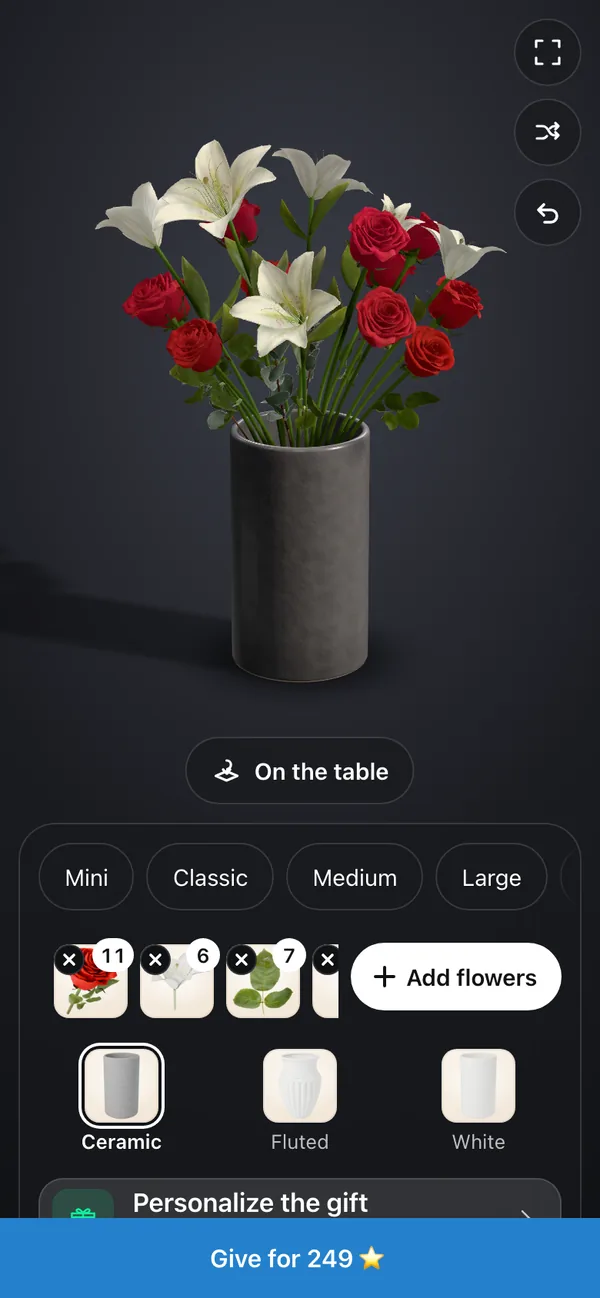
Size and vaseReady sizes from Mini, the whole mix in one row, three vases and an On the table button. -
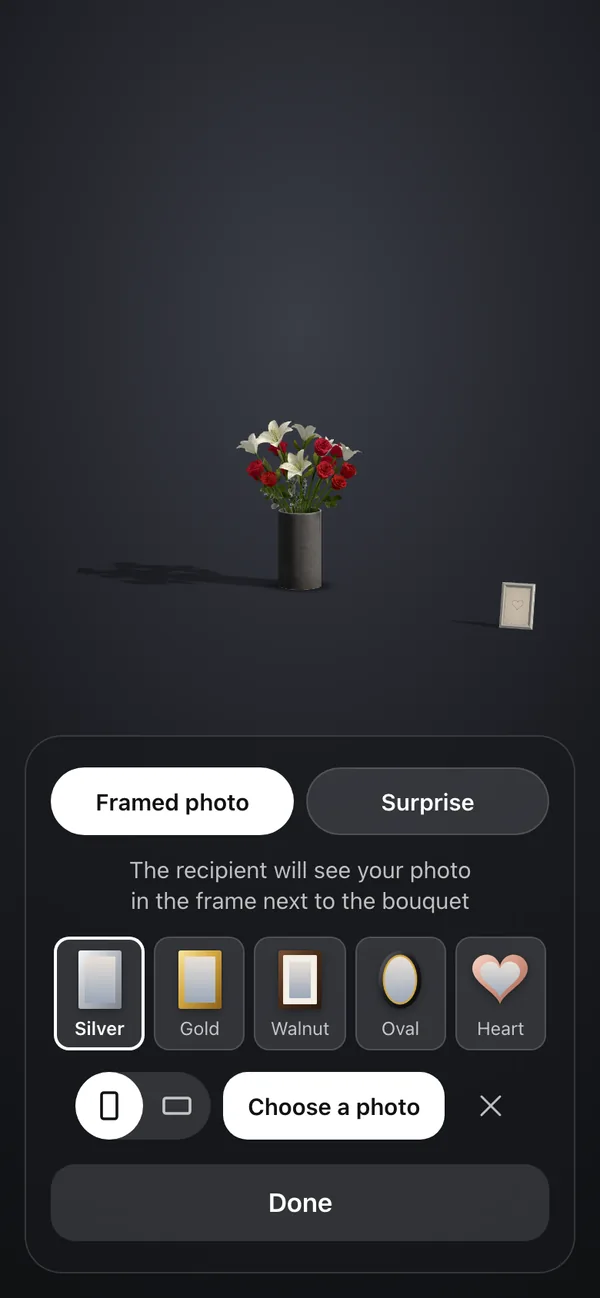
Photo and surpriseA frame with your photo or a surprise box stands next to the bouquet, free with your own bouquet.
How to build a bouquet online
-
Open the workshop
Tap the button on this page and the workshop opens in the VirtFlowers mini app in Telegram. Nothing to install.
-
Add flowers
Start from a ready size, from Mini up to 101 roses, or add flowers one at a time. Each flower shows its price and the total is on the button.
-
Pick a vase and turn it around
Grey ceramic, white or fluted. Turn the bouquet with your finger, and tap On the table to see it next to you through the camera.
-
Sign it and send
Add a couple of lines, and a photo frame or a surprise box if you like. After paying, send the gift to the chat.
Why build it yourself
-
Her flowers
Know she loves white lilies or lilac hydrangeas? Build the bouquet from those.
-
A number that means something
As many roses as her age, as the years you have been together, or as the days you have been apart. One rose or 101.
-
You set the price
The total is on the button from the first stem. Take a couple out and it goes down. You only pay when you send.
Your bouquet from the workshop, or real flowers delivered
They are different gifts. Here is how they differ.
| Real bouquet delivered | Your bouquet from the workshop | |
|---|---|---|
| Who picks the flowers | a florist, from your description | you, stem by stem |
| Can you see it before paying | usually a photo of a similar one | yes, this exact one, from every side |
| When it arrives | from a few hours to a day | right away, any time |
| Recipient in another city or country | needs an address and a courier | Telegram is enough |
| Scent, can go in water | yes | no |
If the person is nearby and you want the flowers to smell, order real ones. The workshop helps when you are far away, when you want an exact mix, or when the occasion is minutes away.
What the bouquet workshop is
The VirtFlowers mini app for Telegram has a bouquet workshop, a builder for a 3D virtual bouquet made stem by stem. It has roses in three colours, tulips in three colours, white lilies, hydrangeas in three colours, lisianthus, gypsophila, eucalyptus and rose leaves. There are three vases: grey ceramic, white and fluted.
The app arranges the flowers. Stems go into the neck of the vase and heads do not pass through each other. Seven roses and 101 roses are arranged differently: a small bouquet stays loose, a large one forms a dense dome. Change the mix and the bouquet rebuilds. Don’t like the arrangement? The arrows button above the bouquet sets the same mix out differently.
Building and viewing are free. The price is a 69 Stars base plus the flowers: a rose is 7 Stars (4 from the 26th), a tulip 11 (5 from the 8th), a lily 15, a hydrangea 7, a lisianthus 8, a eucalyptus sprig 2. One rose in a vase costs 76 Stars, 25 roses cost 250, and 101 roses 548.
No time to build one?
Ready-made bouquets from the catalogue. Tap one to see it up close.


Questions about the bouquet workshop
Are these real flowers? Will they be delivered?
No. The bouquet is 3D but virtual: you see it on screen and on a table through the phone camera. There are no couriers and no delivery.
Won’t they mind that the flowers aren’t real?
Usually not, as long as the reason is clear: you’re far away, it’s a last-minute greeting, or you want your words to come with something they can see. If you’re nearby and have time, real flowers are better. You can also do both: send the bouquet now and bring real flowers when you meet.
How much does it cost to build a bouquet?
Building and viewing are free. You pay when you send, by the mix: one rose in a vase is 76 Stars, 15 tulips 186, 25 roses 250, and 101 roses 548. The price is always on the button. The recipient pays nothing.
Which flowers are in the workshop?
Red, white and cream roses, pink, red and white tulips, white lilies, white, pink and lilac hydrangeas, white and lilac lisianthus, gypsophila, eucalyptus and rose leaves. You can mix them in one bouquet.
How many flowers can I add?
Roses from one to 101, lilies up to 51, tulips from 7 to 35, hydrangeas and lisianthus up to 25, gypsophila up to 30, eucalyptus up to 15 sprigs.
Can I add a photo or a surprise?
Yes. You can place a frame with your photo next to the bouquet and a surprise box with a photo, a link or any file inside. With your own bouquet they cost nothing extra.
Will the recipient see exactly my bouquet?
Yes. The gift keeps both the mix and the arrangement, so the recipient sees the bouquet you built.
How is the workshop different from the catalogue?
The catalogue has ready-made bouquets. In the workshop you choose every flower, the number and the vase. If you are short on time, ready-made bouquets can be sent too.
Where do I get Telegram Stars?
If you don’t have enough, Telegram offers to buy them right in the payment window, the usual way for your phone. There is nothing else to install.
Build the bouquet you want to give
Open the workshop, add flowers and turn the bouquet around. You only pay before sending.
Build a bouquet in TelegramUpdated:
